←Reallytics.ai OReallyticsOrder IntakePlatform
How it works

From first question to done.

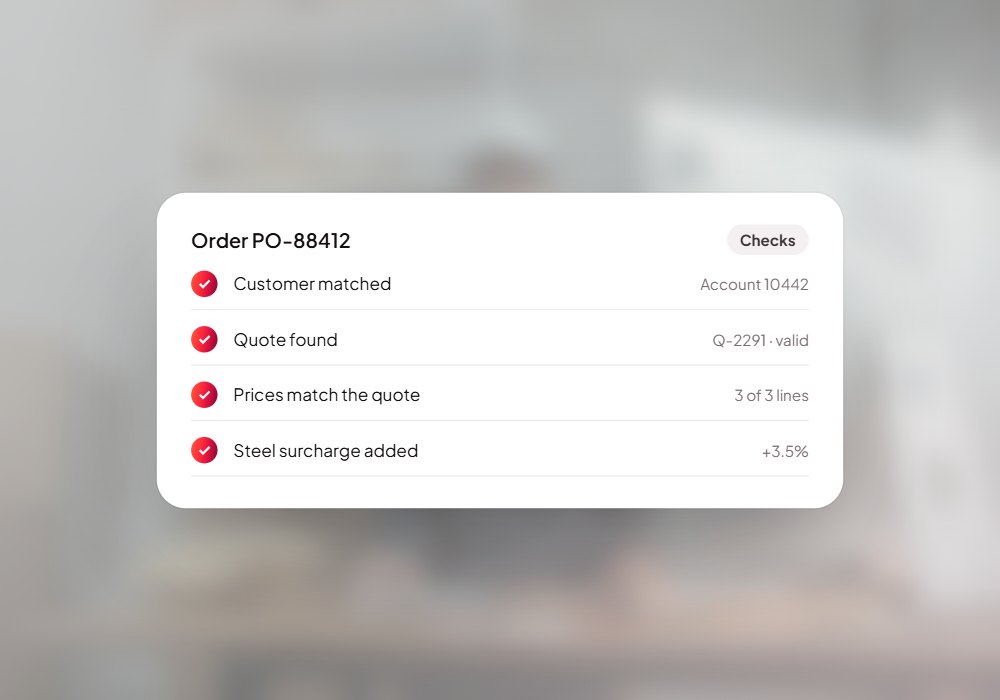
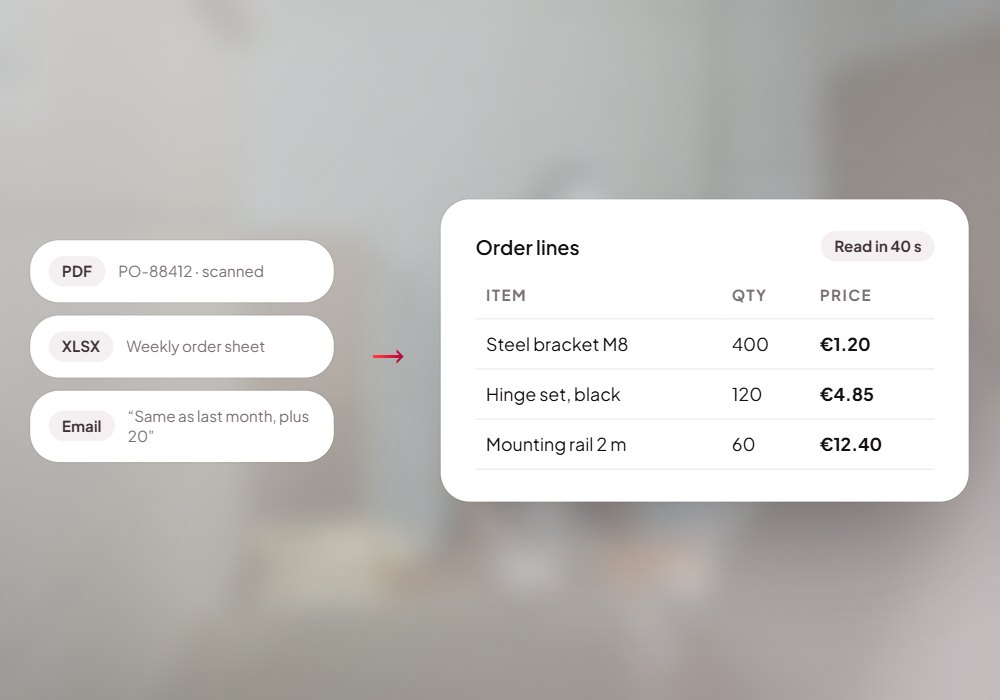
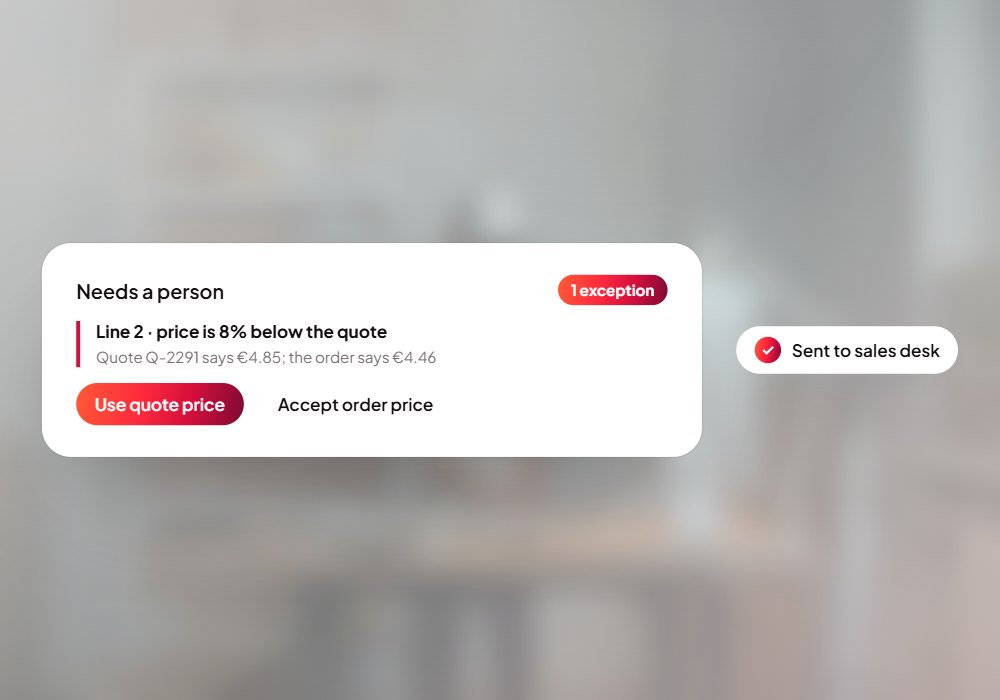
Customers send orders as PDFs, spreadsheets, Word files, links and plain emails, and someone keys every one in by hand. Order Intake reads each order, matches the customer and quote, checks prices, surcharges and your rules, prepares the order for your ERP and hands a person one clean order to approve.

Step by step

What happens behind each request.

01

Order arrives

By email, upload or link, in any format.

02

Agents prepare it

Read, match, check and assemble.

03

A person signs off

Approve, correct or ask for a redo at each step.

04

Order confirmed

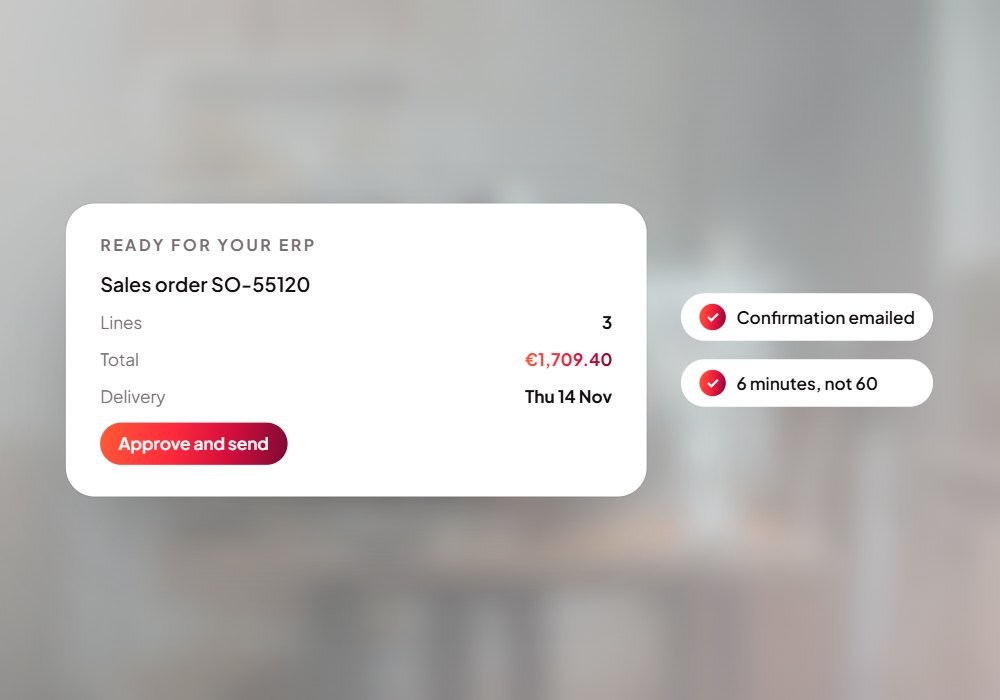
Ready in your ERP, confirmation sent.
Order Intake · live
12 lines read
Prices match the quote
Order ready to approve
12 lines read
How it works with your systems

From customer orders to eRP-ready orders.

  • Scanned PDFs
  • Spreadsheets
  • Word files
  • Download links
  • Plain emails
Customer orders
ERP-ready orders
Read
Match
Check rules
Prepare
Approve
Your rules
Reviewer sign-off
Audit trail
  • Orders in your ERP
  • Confirmations sent
  • Exceptions routed
  • Every step logged
Questions

Before you ask.

Which formats can it read?

Scanned and typed PDFs, CSV and Excel, Word, download links and plain emails.

Does anything reach the ERP without a person?

No. A reviewer approves every step, and corrections carry forward.

Which systems does it connect to?

Your CRM and ERP; we connect them during setup.

Put Order Intake to work for your team.

We set it up on your own data and systems, test it with your team, and switch it on when you're happy.